Your phone shoots 4K. It has multiple lenses. Manual controls. Log profiles on some models. Honestly, the phone in your pocket right now has better image quality than cameras that cost lakhs just ten years ago.
So why do most phone videos still look like phone videos?
Because filmmaking with a smartphone isn’t about the device. It’s about understanding the craft. Lighting. Composition. Sound. Story. The same stuff that matters when you’re shooting on a RED or ARRI. The phone is just smaller.
I’ve seen film students stress about not having access to expensive cameras. Meanwhile, they’re carrying a completely capable filmmaking tool everywhere they go and not using it. That’s ridiculous.
Stop Making Excuses About Equipment
Let me be blunt. If you can’t make something decent on your phone, having a fancy camera won’t help. The fundamentals don’t change.
Good framing on a phone looks good. Bad framing on an ARRI looks bad. Simple as that.
The real advantage of filmmaking with a smartphone? You always have it. An idea hits you at 2 AM? Shoot it. Do you see an interesting light while commuting? Capture it. Waiting for a friend at a cafe? Practice some shots.
This accessibility matters more than resolution or sensor size. You get reps. Practice constantly. Try things. Fail. Learn. Try again. All without booking equipment or dealing with logistics.
Professional filmmakers are now shooting entire projects on phones. Music videos. Short films. Features even. Tangerine was shot entirely on an iPhone 5S. That was 2015. Phone cameras have gotten massively better since then.
The limitation isn’t technical anymore. It’s knowledge. Do you understand how to light properly? Compose shots? Capture clean audio? Edit effectively? These things matter infinitely more than megapixels.
Light Still Matters (Actually, It Matters More)
Phone cameras are getting better at low light. But physics is physics. Small sensors struggle in darkness. You need light. Good light.
Natural light is your friend. Position your subject near windows. Shoot during golden hour. Use overcast days for soft, even lighting. These aren’t workarounds. These are smart choices professional cinematographers make, too.
The flashlight on your phone? Terrible for lighting faces. Harsh, unflattering, ugly. Don’t use it. Seriously, any other light source is better.
Cheap solutions work great. Those ring lights everyone uses for selfies? Perfectly fine for filmmaking with a smartphone. Desk lamps. String lights. LED panels from Amazon that cost two thousand rupees. All are completely usable.
Watch how light falls on faces. Where are the shadows? Is it flattering or harsh? Can you actually see your subject’s eyes? These questions matter whether you’re using a phone or a cinema camera.
Reflectors are cheap and incredibly useful. White foam board from a stationery shop works perfectly. Bouncing light fills in shadows and softens harsh sunlight. Basic technique that instantly improves your footage.
Backlighting creates separation and depth. Position light sources behind your subject. Even if it’s just a window or a lamp. Creates that professional look where subjects don’t blend into the background.
Stabilisation Changes Everything
Shaky footage screams amateur. Always has, always will. Your phone is small and light, which makes it harder to hold steady.
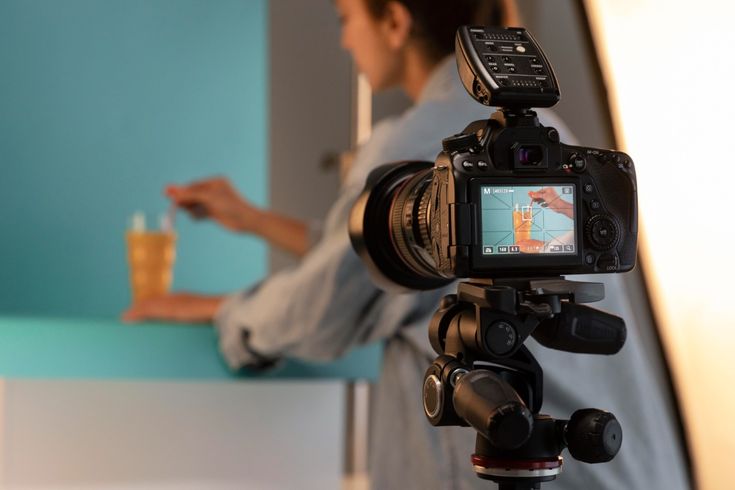
Tripods are essential. Cheap phone tripods cost a few hundred rupees. Get one. Use it. Instantly, your shots look more professional just by being stable.
Gimbals for phones are incredible now. DJI, Zhiyun, others. Smooth tracking shots. Following action. Creating movement that doesn’t look chaotic. Not essential for starting out, but worth saving for.
DIY stabilisation works too. Rest your phone against walls, tables, or anything solid. Use your bag as a makeshift support. Tuck your elbows into your body when handheld. Small things that reduce shake.
Walk slowly when doing moving shots without a gimbal. Bend your knees slightly. Move smoothly. It’s not perfect, but it’s better than a shaky mess.
For static shots, just lock it down. Tripod or any stable surface. Let the scene play out. Not every shot needs movement.
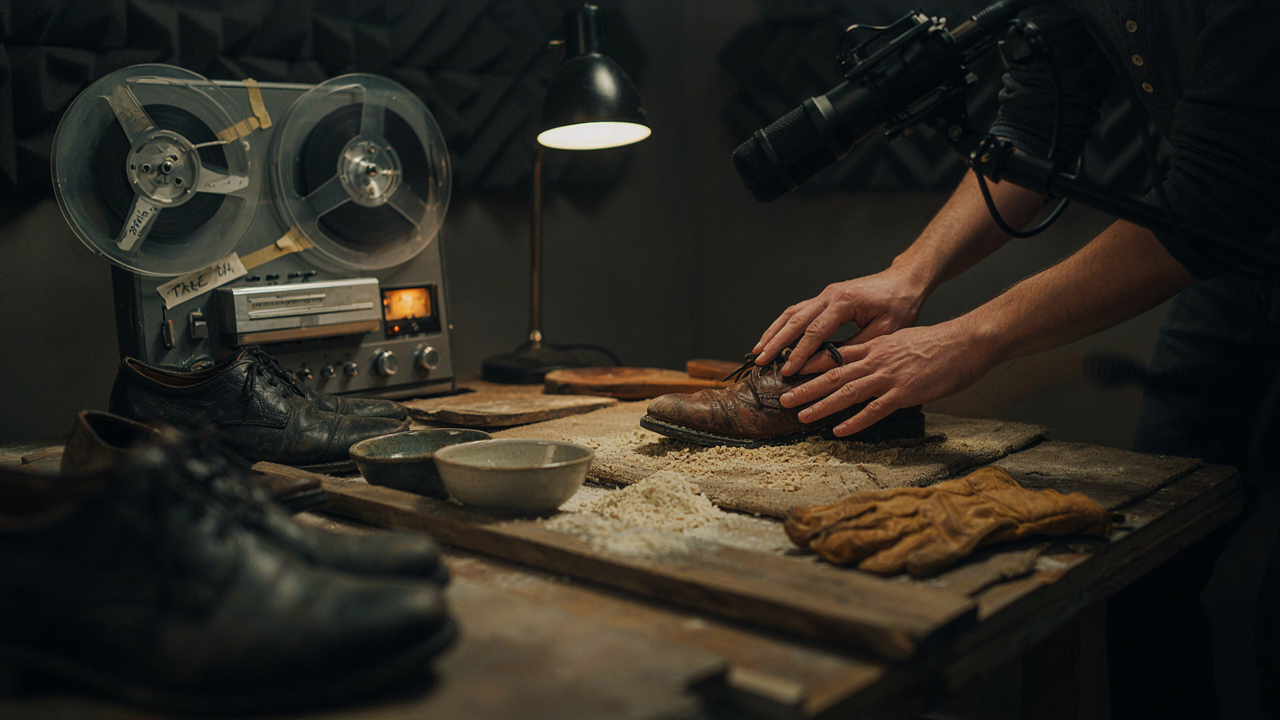
Sound Will Destroy Your Film
This is where most phone filmmaking crashes. The built-in microphone is garbage for anything serious. Wind noise. Room echo. Distant, muffled dialogue. It ruins otherwise good footage.
External microphones aren’t that expensive. Lavalier mics you clip onto people. Shotgun mics that plug into your phone. Even basic ones from Boya or Rode make a massive difference.
Get close to your audio source. Whether you’re using the phone mic or an external one, proximity matters. Distant audio sounds terrible. Close audio sounds clear.
Record separately if needed. Use another phone as an audio recorder. Your laptop. A cheap digital recorder. Sync in post. Professionals do this all the time.
Control your environment. Shoot when it’s quiet. Turn off fans and ACs if possible. Ask that construction next door to take a break. Whatever it takes to get clean audio.
Wind is your enemy. Even a slight breeze destroys phone audio. Windshields help. Or just shoot on calm days. Pick your battles.
Test your audio constantly. Record a few seconds and play it back through headphones. Is it clean? Clear? Usable? Don’t assume it’s fine and then discover in the edit that it’s unusable.
Apps That Actually Help
Your phone’s default camera app is fine but limited. Manual controls matter for serious filmmaking with a smartphone.
Filmic Pro gives you professional controls. Manual focus. Exposure. Frame rates. Bit rate options. Log profiles if your phone supports them. Worth the money if you’re serious.
Moment app is solid too. Similar features. Choose whichever interface you prefer. Both are light-years better than default camera apps.
Editing apps have gotten incredible. LumaFusion is basically a full editing suite on your phone. iMovie is simpler but capable. KineMaster works across platforms. You can cut entire projects on your phone now.
Colour-grading apps like Colorlab or presets in editing apps let you finish your look entirely on the phone. Not as powerful as desktop software, but surprisingly capable.
Don’t overcomplicate it,t though. Start simple. Master the basics before diving into advanced features.
Composition Doesn’t Change
The rule of thirds works the same on a phone. Leading lines guide the eye the same way. Depth in the frame creates dimension, whether you’re shooting on an iPhone or an ALEXA.
Most phone cameras default to wide lenses. This is great for establishing shots and environmental work. Less great for close-ups, where wide lenses distort faces.
Use the different lenses if your phone has them. Standard lens for most work. Telephoto for portraits and compression. Ultra-wide sparingly because distortion gets extreme.
Don’t use digital zoom. Ever. It degrades your image quality. If you need to get closer, physically move closer. Or crop in post if you must.
Shoot horizontally unless you have a specific reason to shoot vertically. Instagram and TikTok want vertical. Fine. But most serious filmmaking still uses horizontal framing.
Grid lines help with composition. Turn them on in your camera settings. Keeps horizons level. Helps with the rule of thirds placement.
Limitations You Need to Work Around
Phone cameras have small sensors. This means a shallow depth of field is harder to achieve. That blurry background look? You need to get creative. Shoot with the telephoto lens. Get closer to your subject by using objects far behind them.
The dynamic range is limited compared to cinema cameras. Bright skies blow out easily. Dark shadows lose detail. Expose carefully. Don’t try to capture the impossible range.
The battery drains fast when shooting video. Bring a power bank. Or two. Nothing worse than your phone dying mid-shoot.
Storage fills up quickly with 4K video. Clear space before shooting. Carry a Lightning drive or USB-C storage if available. Transfer files regularly.
Overheating happens on long shoots or in hot weather. Phones shut down to protect themselves. Take breaks. Keep your phone cool. Shoot shorter takes.
Learning at e-Drishyam Film School
Students at e-Drishyam Film School learn filmmaking using smartphones as part of their training. Not as a fallback but as a legitimate tool.
The approach is practical. Here’s a phone. Make something. Then make something better. The constraints force you to focus on fundamentals rather than blame equipment.
Faculty there understand that most students will spend years working with limited resources. Teaching them to make great work with accessible tools is more valuable than just training them on expensive gear they might not access for years.
Students shoot phone projects alongside camera projects. They see that good storytelling works on any format. That technique matters more than technology.
The critique sessions apply the same standards regardless of cthe apture device. Is the lighting good? Is the composition strong? Does the shot serve the story? These questions don’t change based on what camera you used.
Actually Make Something
Stop planning. Stop researching. Stop waiting for permission or better equipment.
Grab your phone right now. Shoot something. Even one minute. Just try.
Light it as best you can. Frame it thoughtfully. Record decent audio. Edit it together. Watch what you made and notice what doesn’t work.
Then shoot something else tomorrow. Make it better. Fix what bothered you about the first one.
Do this for a month. Shoot something every few days. Short exercises. One-minute stories. Experiments with light or composition.
You’ll improve dramatically. Not from reading about it but from doing it.
Film school teaches you fundamentals. e-Drishyam Film School or anywhere else. But the real learning happens when you practice constantly. When you try things, fail, and figure out why.
Your phone can create professional-quality content. Genuinely. The question is whether you’re capable of using it well.
Everything you’d learn on a big camera applies here. Lighting principles. Composition rules. Camera movement. Colour theory. Sound design. Editing rhythm.
Filmmaking with a smartphone removes excuses. You can’t blame the equipment. It forces you to focus on craft. On storytelling. On making smart, creative choices within limitations.
The Practical Advantages
You can shoot anywhere without drawing attention. A big camera setup attracts crowds and requires permissions. A phone? Nobody cares. You’re just another person on their phone.
You can work alone. No crew needed. Director, cinematographer, sound person all in one. This teaches you every aspect of production.
You can fail cheaply. Experiments don’t cost anything. Try weird ideas. Break rules. See what happens. No pressure because you’re not burning through expensive camera rental time.
You can build a portfolio. Shoot constantly. Create a body of work. When someone asks, “What have you made?” you have dozens of examples because making them was easy.
You can learn editing faster. Quick turnaround from shooting to editing. Immediate feedback loop. See what works in the cut. Apply those lessons to the next shoot.
What This Actually Teaches You
Working within smartphone constraints forces creative problem-solving. You can’t rely on expensive tools to fix things. You have to be smarter.
You learn to see light better. Because you can’t fake it with phone cameras. If the light is bad, the footage is bad. This makes you more conscious of finding and shaping good light.
You understand composition more deeply. Without fancy lens options and limitless depth-of-field control, framing becomes even more critical.
You respect sound design. Because phone audio is challenging, you learn how crucial clean sound is to the final product.
You develop your eyes faster. Shooting constantly means more practice. More mistakes. More learning. More improvement.
These lessons transfer completely when you move to bigger cameras. Actually, students who master phone filmmaking often adapt to professional cameras faster because they already understand the fundamentals.
Just Start
The film in your head won’t make itself. The excuses about not having proper equipment don’t matter anymore.
Your phone is good enough. More than good enough. It’s waiting for you to actually use it.
Stop scrolling through filmmaking tutorials and go shoot something. Anything. See how light looks through your phone’s lens. Practice holding it steady. Record some audio and hear what works.
Filmmaking with a smartphone isn’t a compromise. It’s a legitimate way to learn, create, and tell stories. Professionals use phones. Students should, too.
The camera doesn’t make the filmmaker. Understanding light, composition, sound, and story makes the filmmaker. Your phone just happens to be a very capable tool for applying that knowledge.
So what are you going to shoot today?